What is WooCommerce?
 by Jason
20 October, 2026
by Jason
20 October, 2026
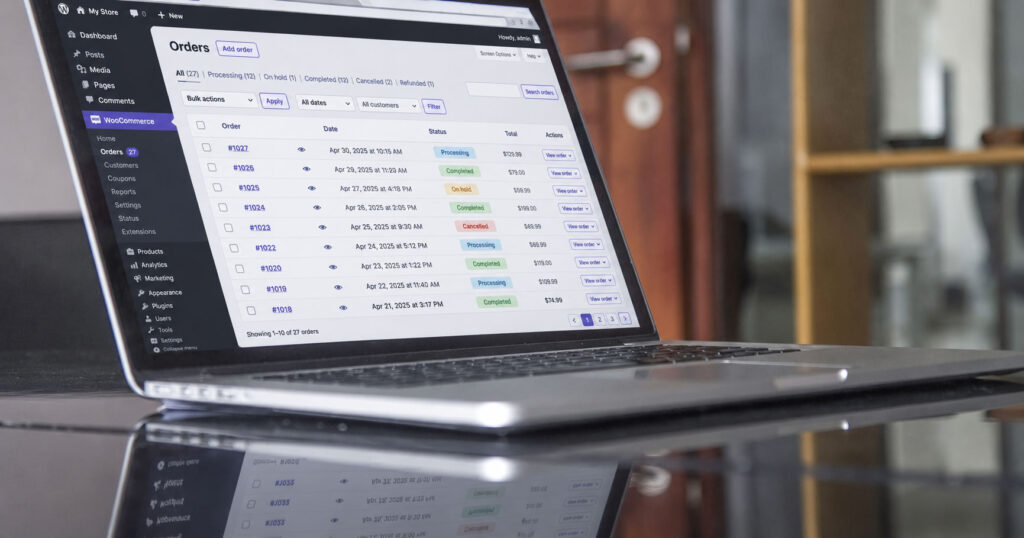
If you’re weighing up how to start selling online, WooCommerce tends to come up early, usually in the same conversation as Shopify. WooCommerce is a free, open-source ecommerce plugin for WordPress. You add it to a WordPress website and it turns that site into a shop, with products, a basket, a checkout and order management all run from the same dashboard as the rest of your site.
Is WooCommerce free?
The plugin is free to download and use. WooCommerce’s own pricing page confirms there’s no monthly subscription for the core platform, and WooCommerce doesn’t charge platform fees or take a share of your revenue. For a small business comparing options, that’s a genuine point in its favour, because WooCommerce itself takes nothing from your sales.
Running a shop on it does cost money, though, and it helps to know where that money goes before you compare it with a platform that charges a monthly fee. The plugin is one part of a working shop, and the rest is made up of the pieces below.
What you’ll pay for
- Hosting. WooCommerce runs on your own WordPress site, so you choose your hosting and pay for it yourself. That also means you decide where the site lives and who looks after the server.
- A domain name. This is your shop’s web address. If you already have a website, you’ll almost certainly have one already.
- Paid extensions, if you need them. The core plugin handles the essentials of selling. Extensions add extra features and are bought individually, so you only pay for the ones your shop actually needs.
- Payment processing fees. Whichever payment processor you choose to take card payments will charge its own fees.
- Design and development. This covers getting the shop built so it looks right, works well on a phone and fits the way your business sells.
- Ongoing upkeep. Updates, backups and security checks, carried out either by you or by a developer.
For a rough sense of what the design and build side might come to for your own project, our website cost calculator gives you a starting point to work from.
So the honest answer to “is WooCommerce 100% free?” is that the software is free and the shop around it is not. You’re paying for the pieces that make it work, and you get to choose each one.
How does WooCommerce work?
WordPress already handles the pages and posts on a website. WooCommerce adds the shop on top, inside the same admin area you’d use to edit your homepage or publish a blog post.
You add each product with a name, price, description, photos and stock level. Customers browse your products, add them to a basket and go through the checkout, where payment is taken by the payment processor connected to your shop. The order then appears in your WordPress dashboard, where you can see what’s been bought, manage the order through to completion and keep an eye on your stock.
Because the shop lives inside WordPress, your products sit on the same site as your blog posts, guides and contact page. For businesses that rely on content to bring people in, that’s a practical advantage, since someone can land on a helpful article and be a click away from buying. If you’re starting a shop from scratch or adding one to an existing WordPress site, that’s exactly the kind of project our WooCommerce web design team works on.
Is there an ecommerce plugin for WordPress?
Yes, WooCommerce is that plugin. It’s listed in the official WordPress plugin directory and is installed in the same way as any other plugin. Once it’s active, WordPress gains the extra menus and settings needed to run a shop, and getting started is mainly a case of adding your products and choosing how you’ll take payment.
What can you add with extensions?
Extensions are add-ons that give WooCommerce features beyond the core plugin. They’re bought individually, which keeps the starting point lean, because you only add what your shop needs.
They tend to come into their own when a business sells something that doesn’t fit a standard product page, or needs pricing or a checkout that works in a particular way. That flexibility is one of the main reasons businesses with unusual requirements choose WooCommerce in the first place.
Each extension is also another piece of software to keep updated, so it’s worth being selective. A shop with a handful of well-chosen extensions is easier to look after than one that’s picked up a dozen over the years, and its running costs are easier to predict too.
WooCommerce vs Shopify
Both are capable ways to run an online shop, and the right one depends on how your business works and how much responsibility you want for the platform itself.
WooCommerce gives you ownership. You own and control the site and its data, and you have a huge amount of flexibility over how the shop looks and behaves. In exchange, hosting, updates, security and backups are your responsibility, or your developer’s.
Shopify is a hosted, all-in-one subscription platform. Hosting and SSL are included in the plan, so there’s no separate hosting to arrange, and the platform is updated for you. At the time of writing (October 2026), Shopify’s UK pricing page lists the Basic plan at £19 a month paid yearly, or £25 a month paid monthly. If you use a third-party payment provider instead of Shopify Payments, Shopify also charges a third-party transaction fee, which is 2% on the Basic plan. The trade-off for having hosting and updates handled for you is less control over the platform itself.
Put side by side, the difference comes down to responsibility and control. With WooCommerce you pay for the individual pieces and decide how each one is handled, which suits businesses that want the site to be theirs and are happy to have someone look after it. With Shopify you pay a monthly subscription and the platform takes care of the hosting and updates, which suits owners who would rather not think about that side at all. Neither is the best choice for every business; it depends on your products, your budget and how you like to work.
Who is WooCommerce a good fit for?
From our experience building WooCommerce shops, it tends to suit a few types of business particularly well.
If you’re already on WordPress, adding WooCommerce keeps everything in one place, so you don’t need a second platform or a separate login for your shop. Businesses that want content and shop together get a lot from it too, because your articles, guides and product pages all live on the same site and work together.
It’s also a strong option if your products, pricing or checkout need to work in an unusual way. Made-to-order items, trade pricing alongside retail pricing, or a checkout that asks for specific information are the kinds of requirements where WooCommerce’s flexibility earns its keep. And if owning your site and your data matters to you, WooCommerce gives you that from day one.
Shopify may be the better fit if you’d prefer a hosted subscription and don’t want any responsibility for hosting or updates. That’s a perfectly sensible choice for many businesses, and it’s worth being honest with yourself about which way of working you’d be happier with in a year’s time.
What does running a WooCommerce shop involve?
Most of the day-to-day work is the part you’d expect from any shop: adding new products, updating prices and descriptions, processing orders as they come in and keeping your stock levels accurate. WooCommerce handles this from the WordPress dashboard, and once you’ve done it a few times it becomes routine.
Alongside that, the site itself needs looking after. WordPress, WooCommerce, your plugins and your theme all release updates, and those updates should be tested and the site backed up before they go live, so that if anything doesn’t behave as expected it can be put right quickly. Security is part of the same routine, keeping software current and making sure access to the site is sensible.
The PHP version your hosting runs is worth keeping an eye on as well. PHP is the language WordPress is built on, and moving to a newer version is usually a setting in your hosting control panel, although it’s sensible to check the shop works properly afterwards. The same goes for the checkout after any significant update: placing a test order is the simplest way to confirm customers can still pay you.
None of this is especially heavy, but it does need doing regularly. Some owners are comfortable handling it themselves, while others would rather hand it to someone who does it every week. If you’d prefer ongoing help with updates, testing and improvements as your shop grows, a WooCommerce development retainer gives you a team that already knows your site.
Choosing the right platform for your business
WooCommerce is a free plugin that turns a WordPress site into a shop, and the costs of running it come from the pieces around it: hosting, a domain, any extensions you need, payment processing fees, the build itself and keeping everything up to date. That model gives you ownership and a great deal of flexibility, which is why it suits so many small businesses, particularly those already on WordPress or with selling requirements that don’t fit a standard template.
The right platform depends on what you sell, how you want to sell it and how much of the technical side you want to be responsible for. We’re a Norwich-based WordPress and WooCommerce agency with over a decade of WordPress specialism, and WooCommerce is a core part of the work we do. If you’d like to talk through whether it’s right for your business, take a look at our WooCommerce web design service or give us a ring on 01603 555590.
Previous
Does Your Norwich Business Actually Show Up on Google?